
Change Drive Letter
How to Change Drive Letter?
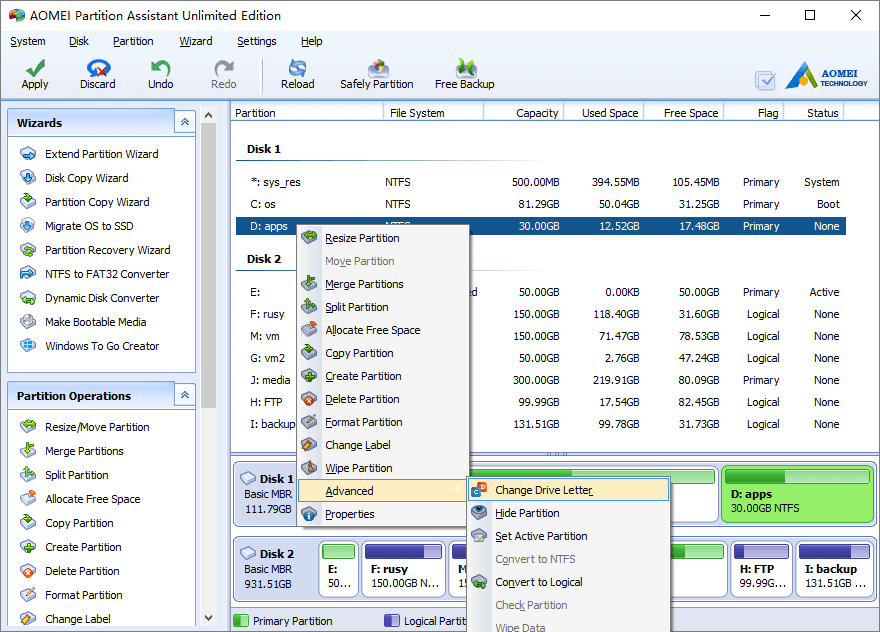
Launch the program, right click the partition, click “Advanced” > “Change Drive Letter”.
In the pop-up window, select the proper drive letter.
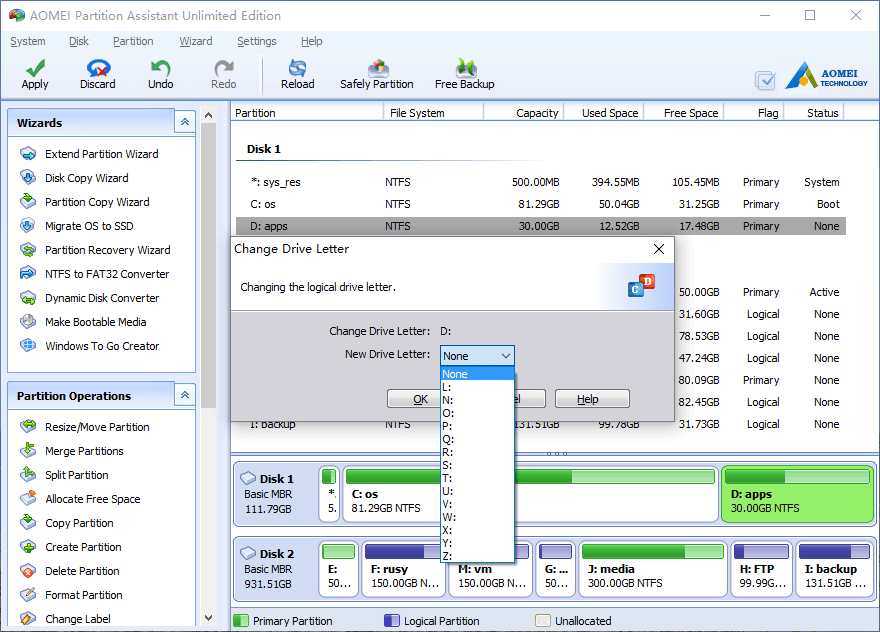
Click OK and back to main window, press “Apply” to proceed.
Tip: No partition software can change the drive letter of a system partition, as changing the letter of a system partition may cause your computer boot failure. To change system drive letter, you may change the record by “regedit.exe”.
Partitioning tutorials
- How to reallocate free space
- How to resize partition
- How to move partition
- How to merge partition
- How to split partition
- How to convert Logical partition to Primary
- How to convert Primary partition to Logical
- How to convert between MBR and GPT
- How to change partition type ID
- How to change serial number
- How to rebuild MBR
- How to align partition