
C drive is running out of space in Windows 11/10/server
System C: drive out of space is most common issue in Windows PC and server, no matter you use mechanical HDD, SSD or any types of hardware RAID array. Because many types of files are saved or generated in C drive continuously. Of course it will be getting full sooner or later.
- Windows updates are continuously saved to C drive.
- Temp files and caches are save to C drive by default.
- All applications install to C drive by default, in addition, some applications output files in system partition, too.
- Some files still write to C drive even if you change programs installation path to other partition.
- Recycle Bin, Hibernation, Restore points and some other Windows services use disk space in C drive, too.
If your C drive is not created large enough, it will become full in a short time.
The symptom of C drive out of space
It is dangerous if the system C: drive is running out of space in Windows server, desktop or laptop. So Microsoft designed “Low Disk Space” warning to alert people when C drive is running low on disk space.
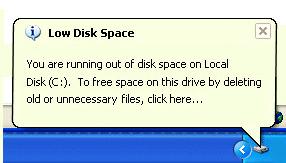
In addition, C drive will be changed to red in File Explorer.

The risk of C drive running out of space
No matter you are running Windows desktop, laptop or server, you should try to solve this problem as fast as possible, because you may encounter many issue such as:
- Computer performance down and runs much slower.
- No space to install critical Windows updates or applications.
- Computer stuck, reboot expectedly or even crash.
How to fix C drive out of space in Windows 10/11/server
1. Clean up disk
There are many junk and unnecessary files saved or generated in C drive. You’ll get more free space after removing these files. To accomplish this task, you may use either Windows native “Disk Cleanup” or third party optimization software. “Disk Cleanup” is safe, fast and easy to use, so it is recommended as the first choice. If you cannot get enough free space, you may try additional methods to free up disk space.
- How to free up disk space in Windows 10
- How to free up disk space in Windows 11
- How to free up disk space in Windows Server 2008
- How to free up disk space in Windows Server 2012
- How to free up disk space in Windows Server 2016
- How to free up disk space in Windows Server 2019
If you still cannot get enough free space (at least 20GB), add more from other partition.
2. Move free space to C drive from other partition
With safe partition software, you can shrink a data partition on system disk to release free space, add then add to C drive. In this way, there will be large amount of free space in C drive again. Your operating system, programs and anything else (except size) keeps the same with before.
How to move free space when C drive is running out of space in Windows PC/server:
(Valid for Windows 7/8/10/11 and Server 2008/2012/2016/2019/2022)
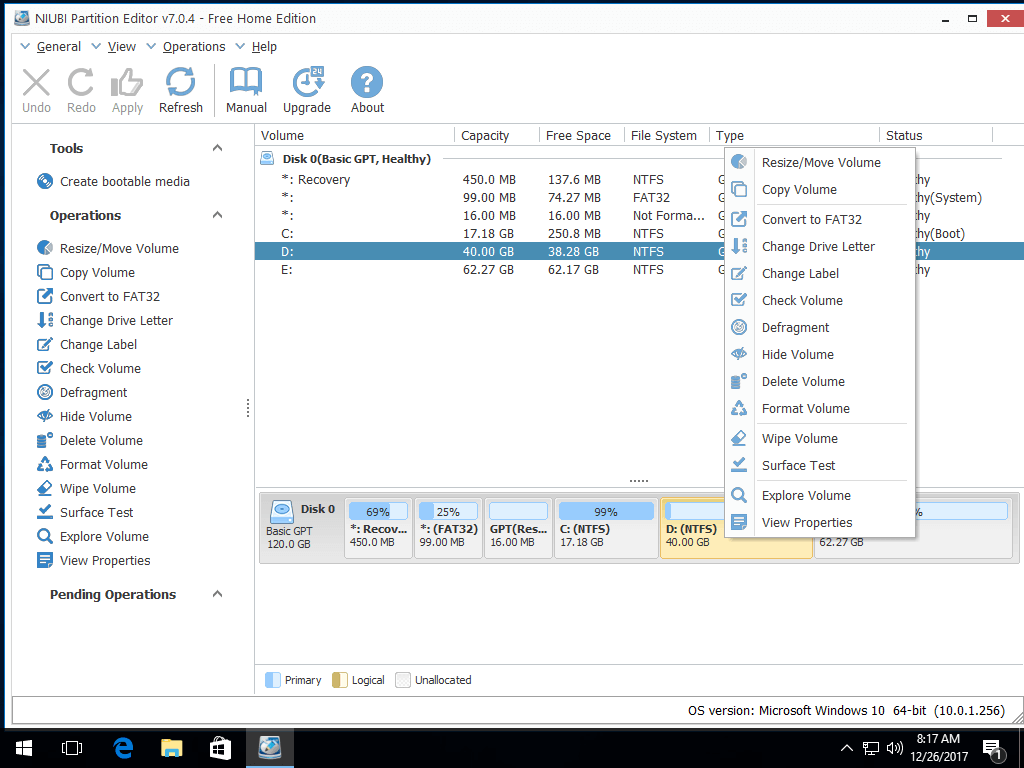
Step 1: Download NIUBI Partition Editor, right click the adjacent volume D and select “Resize/Move Volume“.
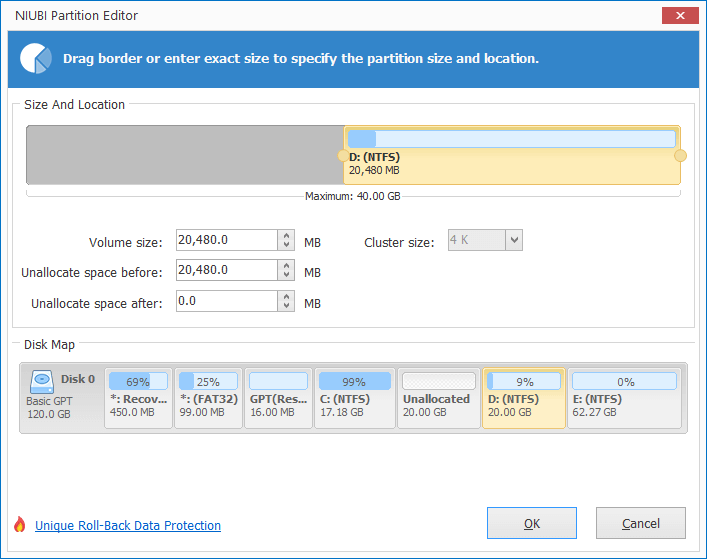
Drag left border rightwards in the pop-up window, then free space will be release on the left of D drive.
Click OK and back to the main window, a pending operation is listed on the left.
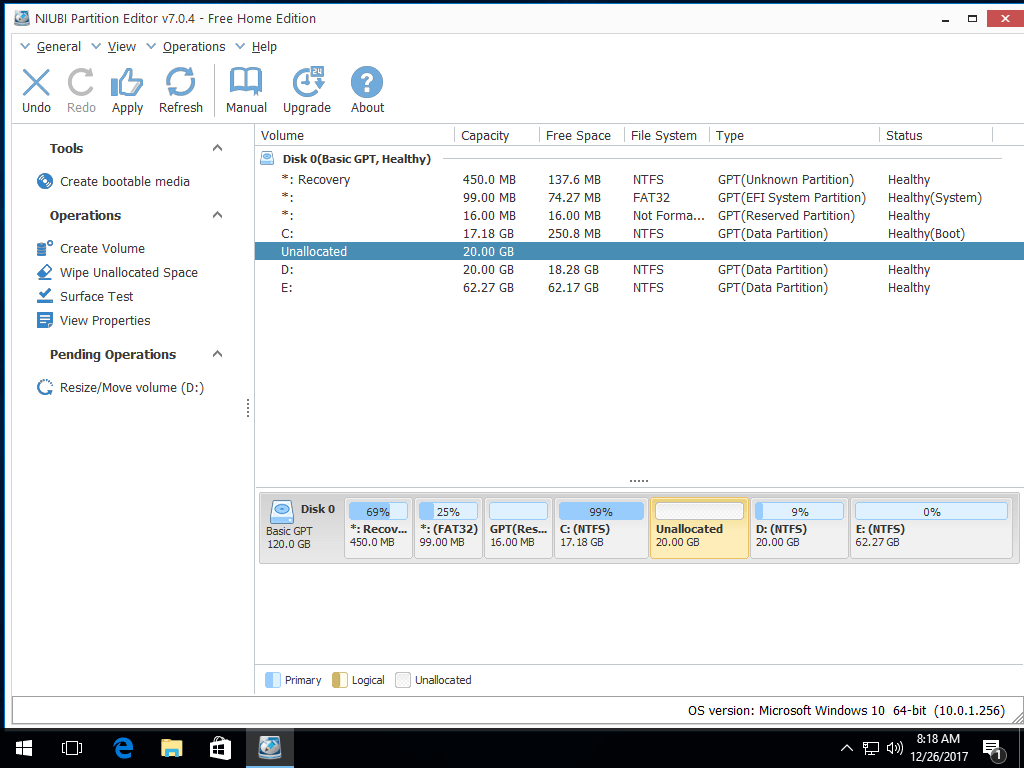
Step 2: Right click C drive and select “Resize/Move Volume” again. Drag right border rightwards to merge this Unallocated space in the pop-up window.

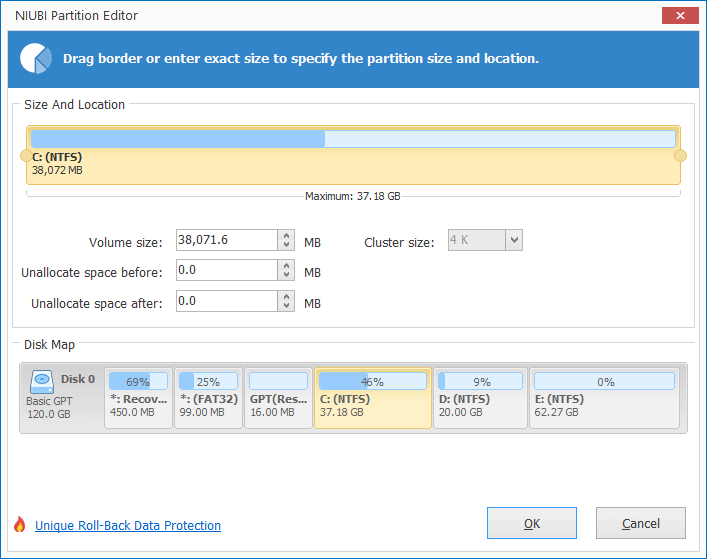
Step 3: Click OK and back to the main window, finally click Apply on top left to execute, done.
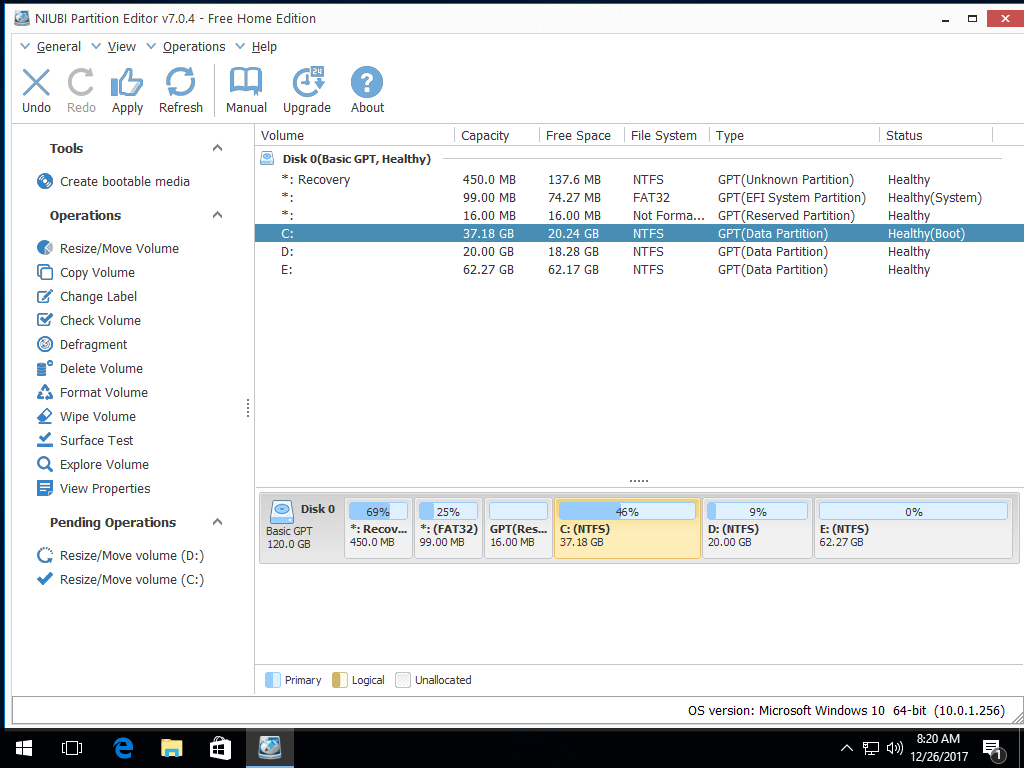
If there is not plenty of free space in D, simply get from other volumes on the same disk. Watch the video how to operate:
Besides shrinking and extending partitions, NIUBI Partition Editor helps you clone disk partition, convert disk partition type and do many other disk partition management operations.
3. Change the way running your computer
To completely fix C drive out of space in Windows 11/10/8/7 and Servers, you’d better change the way running your desktop, laptop or server.
- Create a separate partition to install programs, don’t save everything to C drive.
- When you installing programs, change the default installation path to other partition.
- Change download and programs output path to other partition.
- Run Windows native “Disk Cleanup” monthly to remove new generated junk files.