

Enterprise Disk Partition Management Toolkit.
NIUBI Partition Editor Enterprise Edition is specially designed for medium and large companies, schools and governments. It can be installed to unlimited PCs and servers in your organization regardless of locations. It supports all types of local and external hard disk drive, removable USB disk and memory cards, all types of hardware RAID arrays with any RAID controllders, Hyper-V/VMware virtual disk partitions are also supported.
The built-in Roll-Back Protection technology is able to roll back the computer/server to the status before resizing automatically and rapidly, even if powerful failure or any hardware issue occurred. This enterprise partition manager is 30% – 300% faster than ANY other tools, because of the optimized file-moving algorithm. Data safety and time are most important to a company!
- Enhanced data protection technology to keep OS and data intact.
- Extend NTFS system partition without rebooting.
- Unlimited installation to save time and money.
- The choices of many Fortune 500, governments and universities.
- 24*7 live chat support & 90-day money back guarantee.
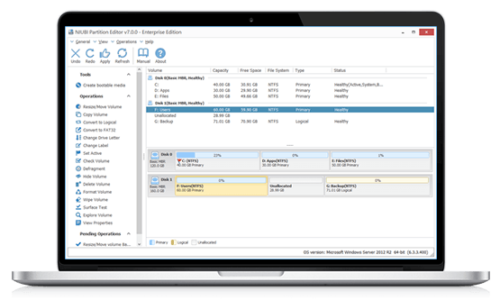
Screenshots Preview
Powerful features in a simple GUI
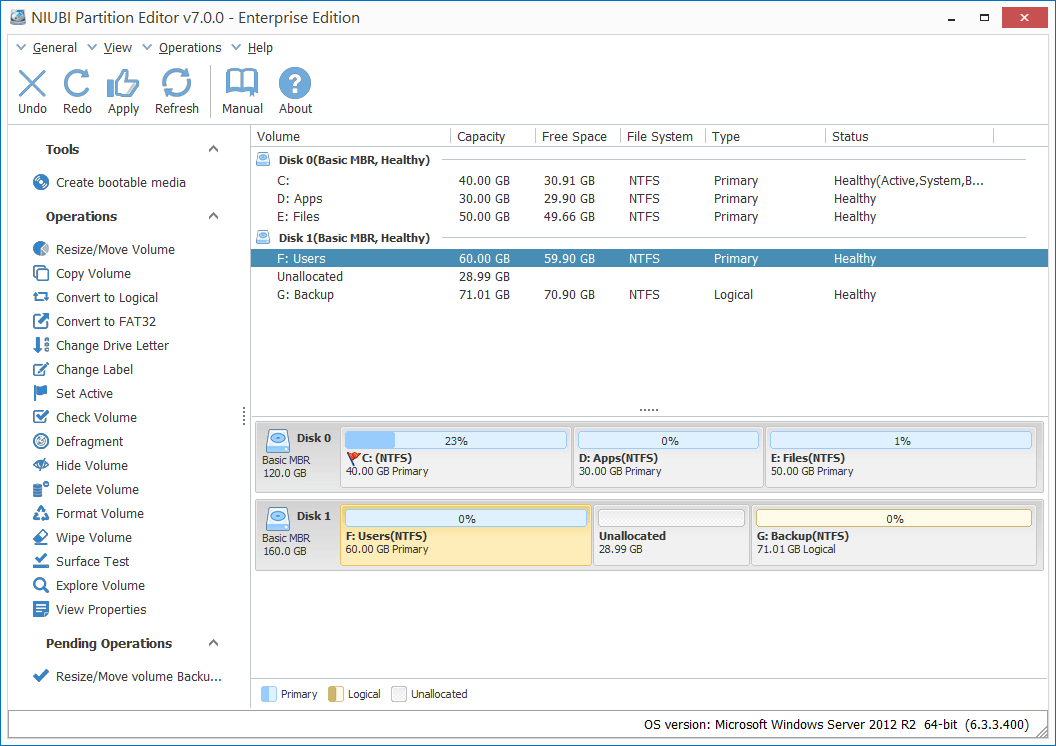
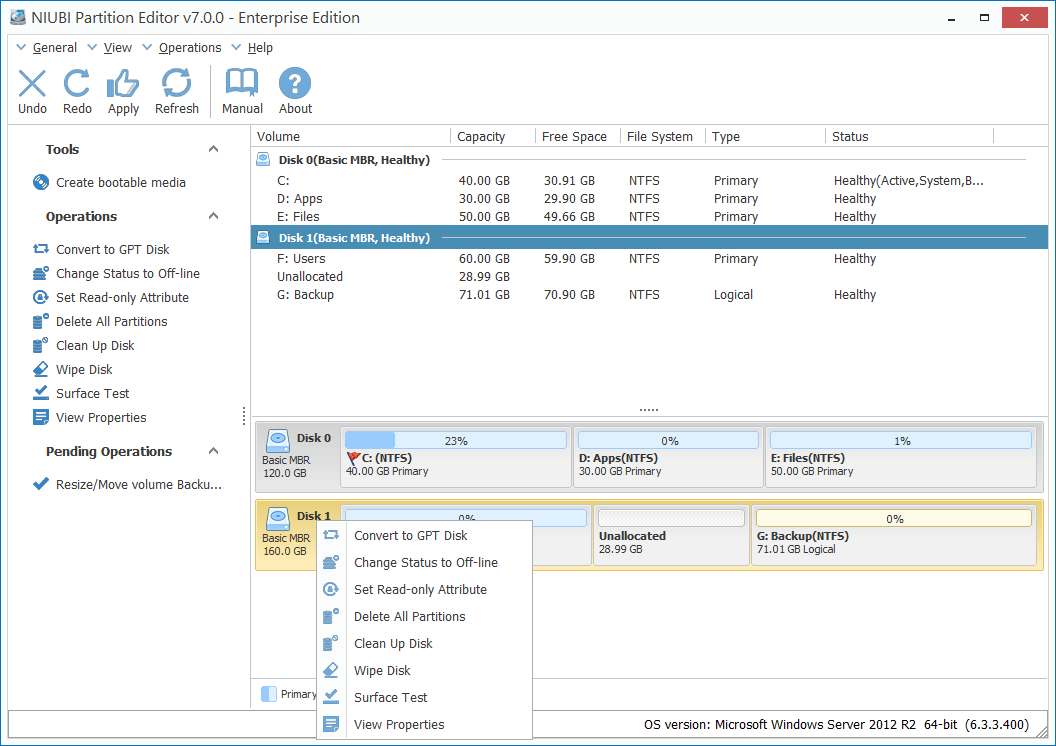
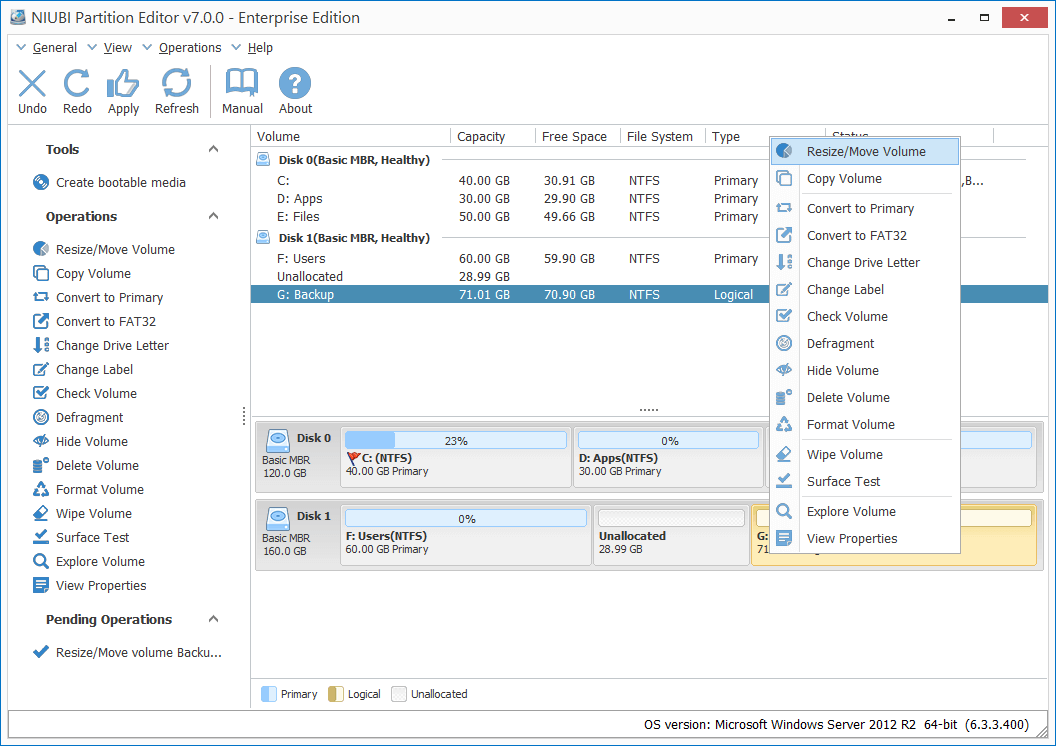
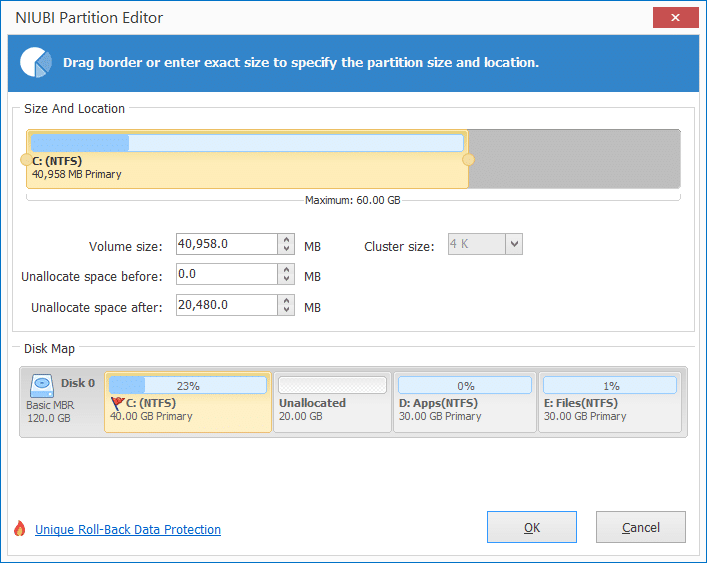
Change existing partition size non-destructively.
What to do when there is not enough free space in system C: drive, waste a whole weekend to start from scratch? NO! Our product helps you extend partition by taking free space from another one directly.
- Roll-Back technology to protect OS and data intact!.
- Extend NTFS partition without rebooting.
- 30% – 300% faster than ANY other tools.
- Easy to use with simple GUI.
Data safety and time are most important!
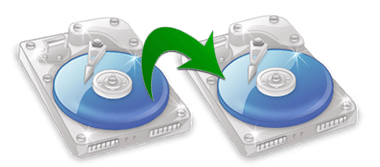
Disk Partition Backup & Migration
Copy Volume helps completely clone a single partition to backup or migrate data.
- Supports copying to smaller or larger disk.
- Supports fast file-to-file copy.
- Supports copy between physical disk and RAID virtual disk.
- Ability to change target partition size while copying.
Management & Conversion & Optimization
All-in-one partition management toolkit
Disk & Partitioin Conversion
MBR/GPT Disk Converter
Convert MBR disk to GPT without data loss.
NTFS/FAT32 Converter
Convert NTFS partition to FAT32 without data loss.
Primary/Logical Partition Converter
Convert partition from Primary to Logical and vice versa.
Bootable Disc Wizard
Create bootable CD/DVD, USB disk without installing again, or in case of system boot failure.
Data Security
Wipe entire disk, single partition or Unallocated space to prevent your sensitive file from recovering.
Create Partition
Create new partitions with free Unallocated space.
Delete Partition
Delete entire hard disk or single partition if you don’t want to keep them.
Format Partition
Format existing partition to use as a new drive. (All files will be lost)
Label Partition
Label Partition is used to assign a name to partition for easier recognition.
Hide Partition
Hide partition to prevent important data from unauthorized accessing.
Set Active Partition
Set Active Partition is used to specify a partition to be the boot partition.
Check Partition
If you would like to check and recover file system to ensure the integrity of your files, you can use the Check Volume function.
View Properties
This function is used to view detailed parameter of a disk or partition.
Volume Defragment
By defragment, the partition read and write performance will be improved.
Set Read-only
Set read-only attribute is useful to improve the computer or server security, prevent from unauthorized file uploading.
Initialize Disk
A new hard disk should be initialized before creating partitions to use.
Explore Volume
This feature is useful to identify if it is the right one you want to operate.
Clean Up Disk
This function is used to remove all partition, un-initialize a disk to use as new.
Surface Test
A bad sector is a sector on a computer’s hard drive that has been damaged and has lost the ability to write and retrieve data. Bad sectors can sometimes corrupt your saved data as well as slow down your computer. In order to improve the performance of your computer, you can use the Surface Test function to your hard disk. (This function cannot repair bad sectors).
Change drive letter
In order to access the files and folders more accurately, Windows typically assigns a letter of the alphabet to most drives (C: D: E: etc.). However, confusion may occur among those drives letters when you finish upgrading computer system or connecting multiple hard disks. If you want to bring order out of chaos and reorganize your drives in a certain way, changing the drive letter can be the most effective way.
Compare Editions
Better manage disk partitions
- All functions
- Roll-Back data protection
- Cancel-at-Well technology
- Resize 30% - 300% faster
- Bootable CD/DVD/USB disc
- Windows 10/8/7/Vista/XP
- Windows Server 2016/2012/2008/2003 (R2)
- Windows SBS 2011/2008/2003
- 1 year free upgrade
- 1 license can be registered on unlimited PCs and servers in company-wide
- All functions
- Roll-Back data protection
- Cancel-at-Well technology
- Resize 30% - 300% faster
- Bootable CD/DVD/USB disc
- Windows 10/8/7/Vista/XP
- Windows Server 2016/2012/2008/2003 (R2)
- Windows SBS 2011/2008/2003
- Lifetime free upgrade
- 1 license can be registered on unlimited PCs and servers in company-wide
- All functions
- Roll-Back data protection
- Cancel-at-Well technology
- Resize 30% - 300% faster
- Bootable CD/DVD/USB disc
- Windows 10/8/7/Vista/XP
- Windows Server 2016/2012/2008/2003 (R2)
- Windows SBS 2011/2008/2003
- Lifetime free upgrade
- 1 license can be used for unlimited companies and individuals.
- Provide profitable tech service to clients.
What customer say?
Over 42,000,000 users’ choice


Have any questions?
Support is ready for you 24*7, contact us via live chat or send message directly.