
Allocate Free Space
How to reallocate free space?
When system C drive is running out of space, the fast and easiest way to solve this problem is extending it by taking free space from other data partitions. Allocate Free Space feature is one click solution to re-allocate free space of the existing partitions, you can extend any drive by shrinking other drives in the same hard disk.
How to allocate free space to C drive?
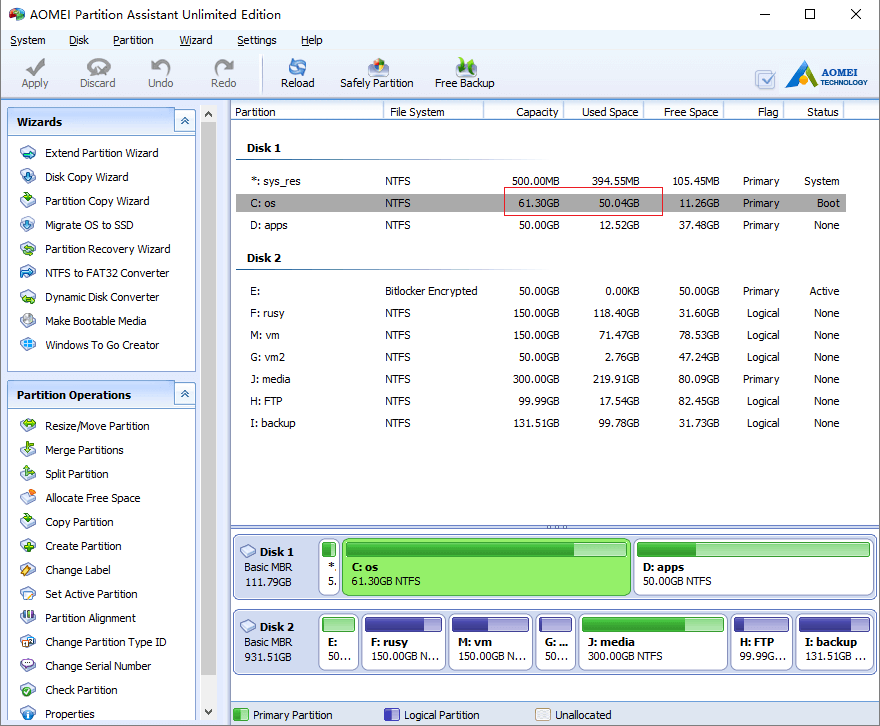
Launch the partition magic software, you’ll see all connected hard disks and partitions in your computer.
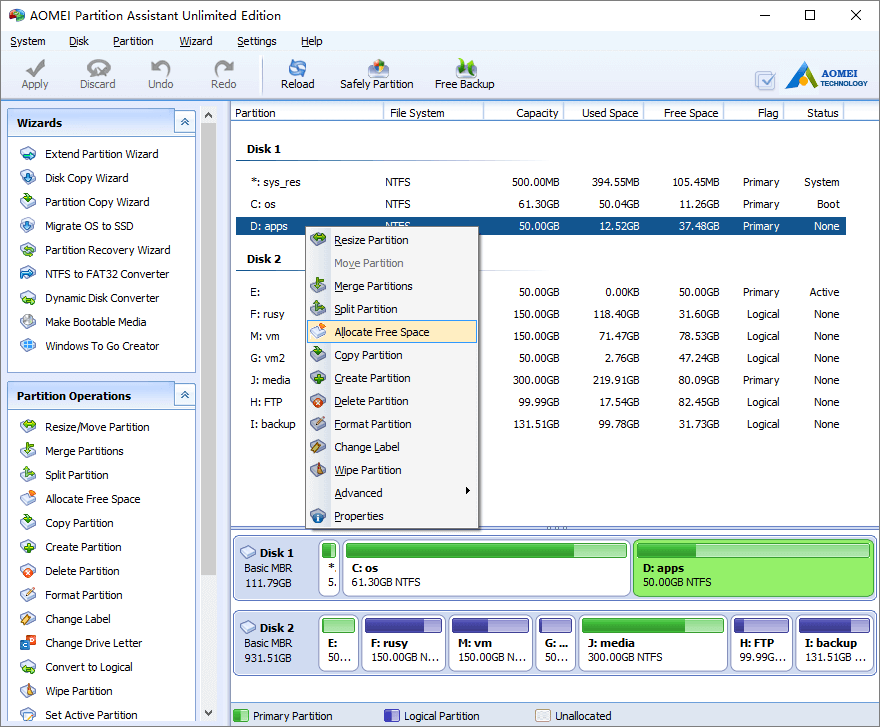
Right click any data partitions that you want to take free space from and select “Allocate Free Space” feature.
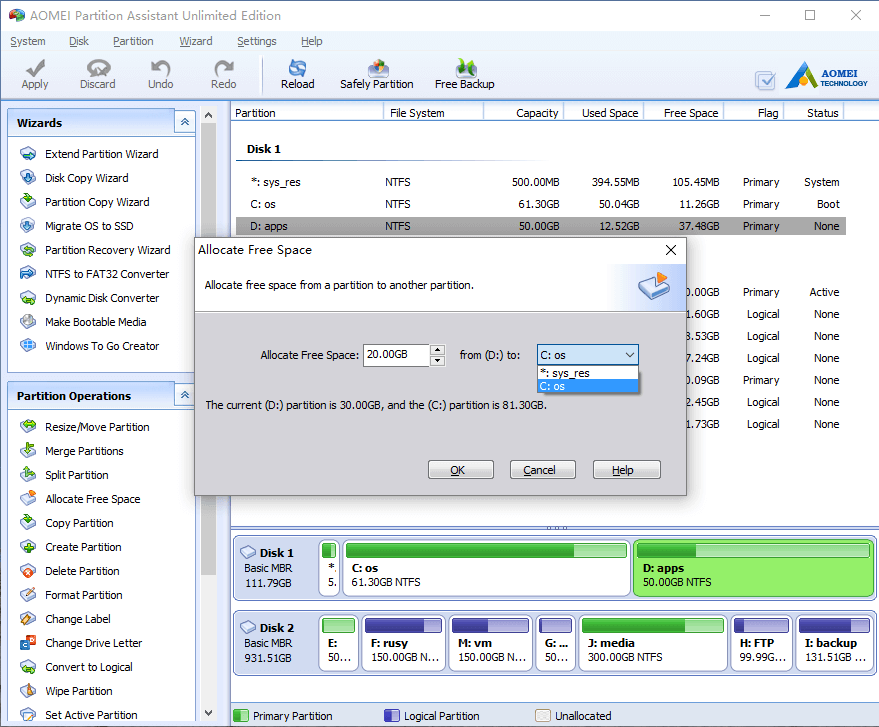
In the pop-up window, type the value how much free space you want to take and select C: drive as the target to get this free space.
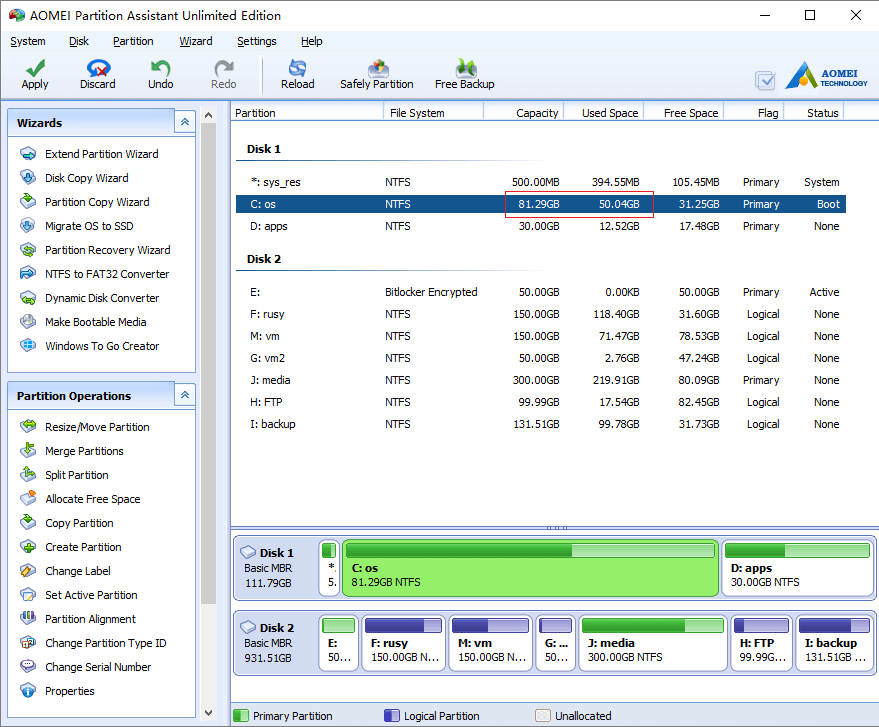
Click OK and back to the main window, there you’ll see the free space has added to C: drive. All steps work in the virtual mode, to change physical disk partition, please remember to click “Apply” on top left to proceed.
- How to reallocate free space
- How to resize partition
- How to move partition
- How to merge partition
- How to split partition
- How to convert Logical partition to Primary
- How to convert Primary partition to Logical
- How to convert between MBR and GPT
- How to change partition type ID
- How to change serial number
- How to rebuild MBR
- How to align partition