
Convert MBR GPT Disk
How to convert between GPT & MBR disk?
Why convert MBR disk to GPT disk?
- MBR hard disk can only support disk size up to 2TB.
- MBR disk only support 4 Primary partitions at most, or 3 primary partitions plus an extended partition.
- Subject to drive letter assign rule, after “Z” has been assigned, new partitions won’t be shown.
After converting MBR disk to GPT, there will be no such limitations.
Nowadays, hardware prices are much cheaper, you can easily create very large storage with TBs disk and RAID controller. To use the virtual disk and partitions that is larger than 2TB, you must convert the disk from MBR to GPT, otherwise, the rest disk space will be wasted.
How to convert MBR disk to GPT?
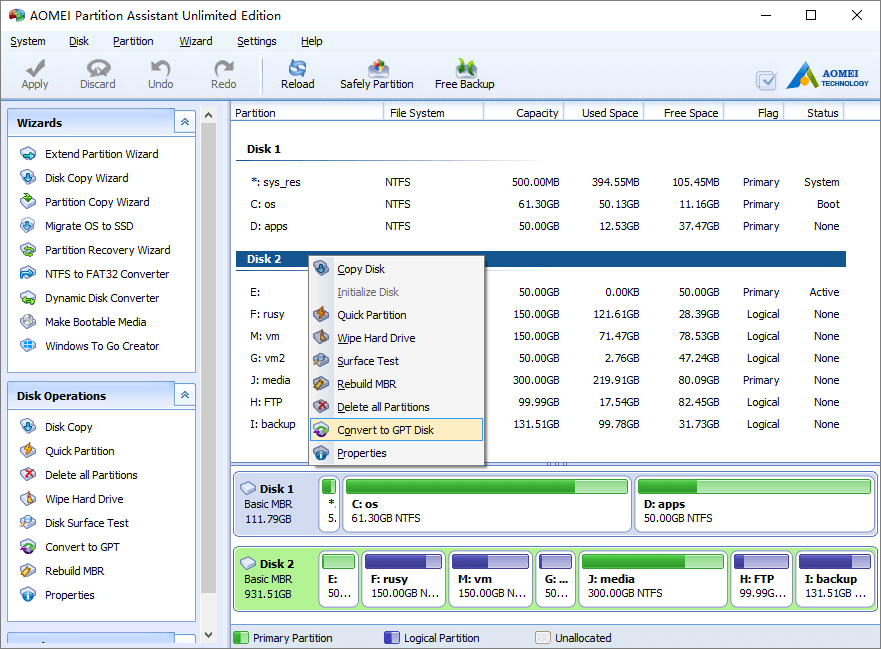
Launch the program and right click the MBR disk you want to convert and then select “Convert to GPT Disk”.
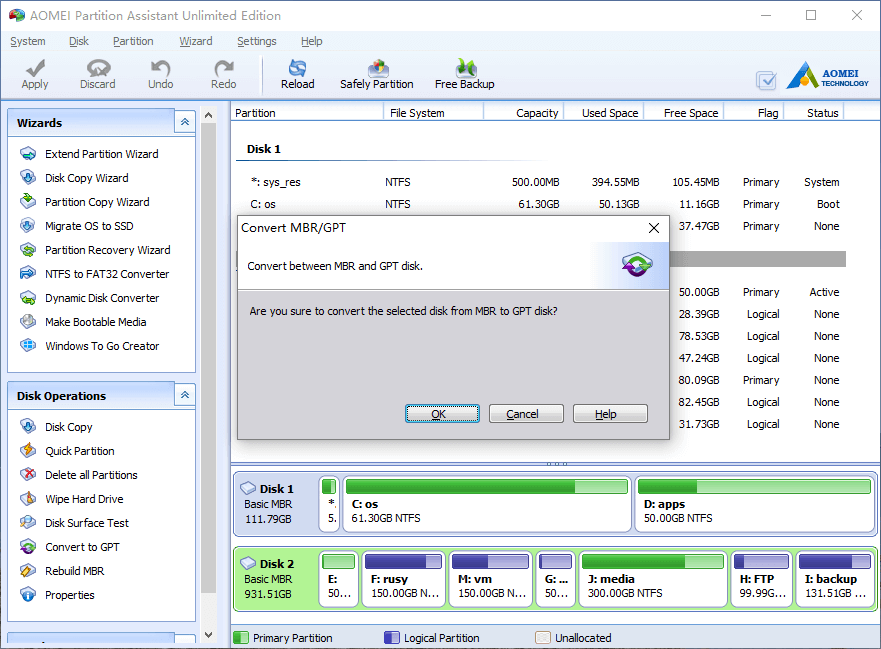
In the pop-up window, click OK and back to the main window, press “Apply” button on top left to proceed, done.
Why convert GPT disk to MBR?
Windows 95/98/ME, Windows NT4, Windows 2000, Windows 2003 32-bit, Windows XP 32-bit version does not support GPT partitions, so you cannot access the data until you convert them back to MBR disk.
All Windows can boot from a MBR disk, but you can only boot from a GPT disk when you have a supported operating system and your motherboard has enabled EFI BIOS.
How to convert MBR disk to GPT?
It is similar, right click the GPT disk and select “Convert to MBR Disk”.
No matter you want to convert MBR to GPT disk or convert GPT to MBR, our software is able to convert between MBR and GPT without losing data.
- How to reallocate free space
- How to resize partition
- How to move partition
- How to merge partition
- How to split partition
- How to convert Logical partition to Primary
- How to convert Primary partition to Logical
- How to convert between MBR and GPT
- How to change partition type ID
- How to change serial number
- How to rebuild MBR
- How to align partition