
Change Partition Type ID
What is partition type
The total data storage space of a PC hard disk can be divided into at most four primary partitions, or alternatively three primary partitions and an extended partition. These partitions are described by 16-byte entries that constitute the Partition Table, located in the master boot record.
The partition type is identified by a 1-byte code found in its partition table entry. Some of these codes (such as 0x05 and 0x0F) may be used to indicate the presence of an Extended partition. Most are used by an operating system’s bootloader (that examines partition tables) to decide if a partition contains a file system that can be used to mount/access for reading or writing data.
For MBR-style partition, each partition will have one Partition Type ID.
Common partition type IDs
- 0x01 FAT12
- 0x04 FAT16, less than 32 MB
- 0x06 FAT16, greater than 32 MB
- 0x07 NTFS
- 0x0B FAT32, used by DOS & Win95
- 0x0C FAT32 using LBA mode to access to FAT32 partition
- 0x0E FAT16 using LBA mode to access to FAT16 partition
- learn more…
How to change partition type ID?
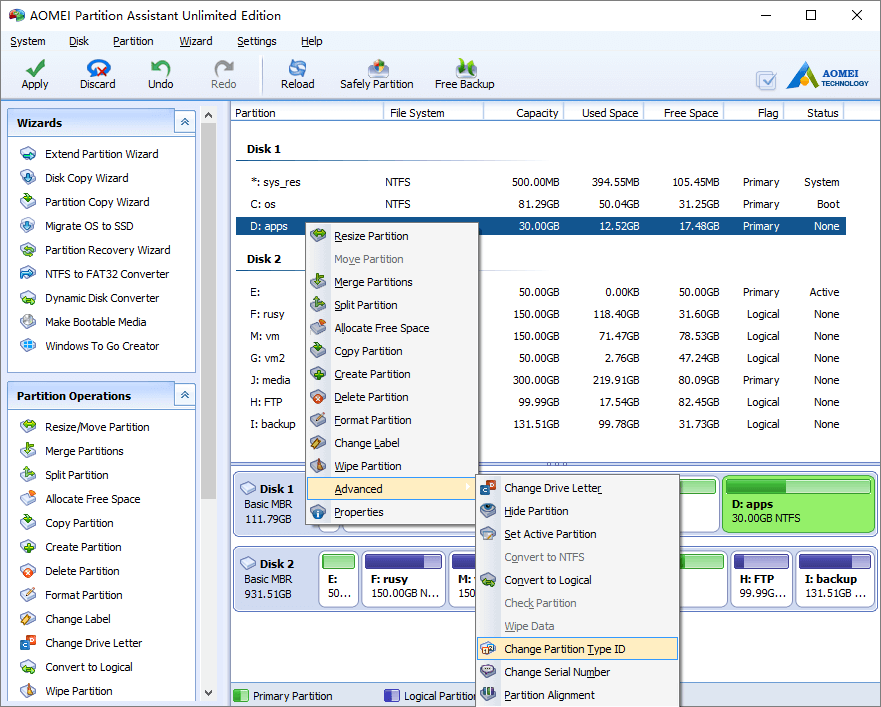
Step1, launch the program, right click the partition you want to change type ID and select “Advanced” > “Change Partition Type ID”.
Step2, in the pop up window, select the new partition type ID.
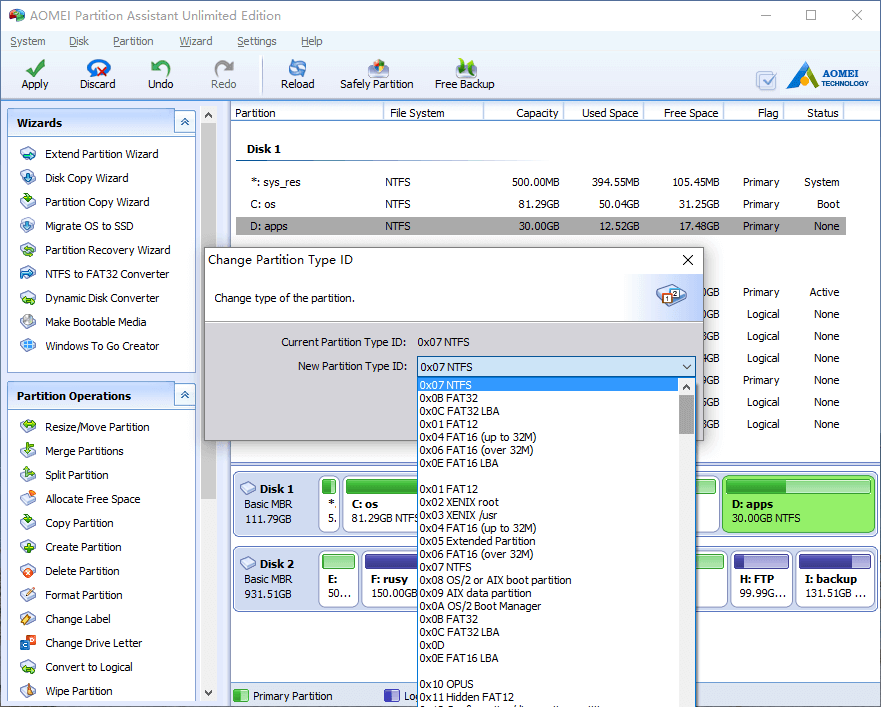
Click OK and back to main window, press “Apply” button to proceed, done.
- How to reallocate free space
- How to resize partition
- How to move partition
- How to merge partition
- How to split partition
- How to convert Logical partition to Primary
- How to convert Primary partition to Logical
- How to convert between MBR and GPT
- How to change partition type ID
- How to change serial number
- How to rebuild MBR
- How to align partition